Best AI Tools for Prediction Markets in 2026
9 mins


If you’re a prediction market user, you must have once come across an X post claiming an AI agent turned $50 into nearly $3,000 in 48 hours on Polymarket, which pulled millions of views and thousands of bookmarks.
Bots and AI agents really dominate Polymarket's profit leaderboard, and most of what's being sold to you on the back of that fact is engagement farming, referral schemes, or worse.
We went through the tools, the GitHub repos, and the published accounts of people who ran these systems with real money. Here are the 9 AI tools and resources that are worth trying.
Why you need AI to win in prediction markets
AI cannot predict the future. But it can process information and act faster than most bettors. AI agents account for over 30% of wallet activity on Polymarket, and bots hold most of the top spots on the profit leaderboard. Their edge is structural. They cover hundreds of markets 24/7 with disciplined sizing, while humans sleep, tilt, and oversize. An agent can track weather reports, election data, token flows, breaking news, and market prices simultaneously. It can also apply the same strategy consistently across thousands of opportunities that a human trader would never have time to review.
The market behind them got big fast. Kalshi and Polymarket moved $44.8 billion combined in June 2026, more than triple what all legal US sportsbooks handle in an average month per Pew Research. Prediction markets also pulled $1.85 billion in venture funding in the first half of 2026 per CryptoRank, the most funded category in crypto.
The extraction is documented, not rumored. Researchers at IMDEA Networks scanned 86 million Polymarket bets and found a small cluster of bot-like accounts generating an estimated $40 million in near risk-free arbitrage profits in a single year. The famous bot that turned $313 into $438,000 in a month was a latency arbitrage operation, exploiting the seconds between a Bitcoin price move on Binance and Polymarket's odds catching up. That takes serious infrastructure and capital, not a script on a cheap server.
9 AI tools for prediction markets worth your time
The open-source layer, with stats pulled live from the GitHub API.
1. Arkham Intel, for tracking whales
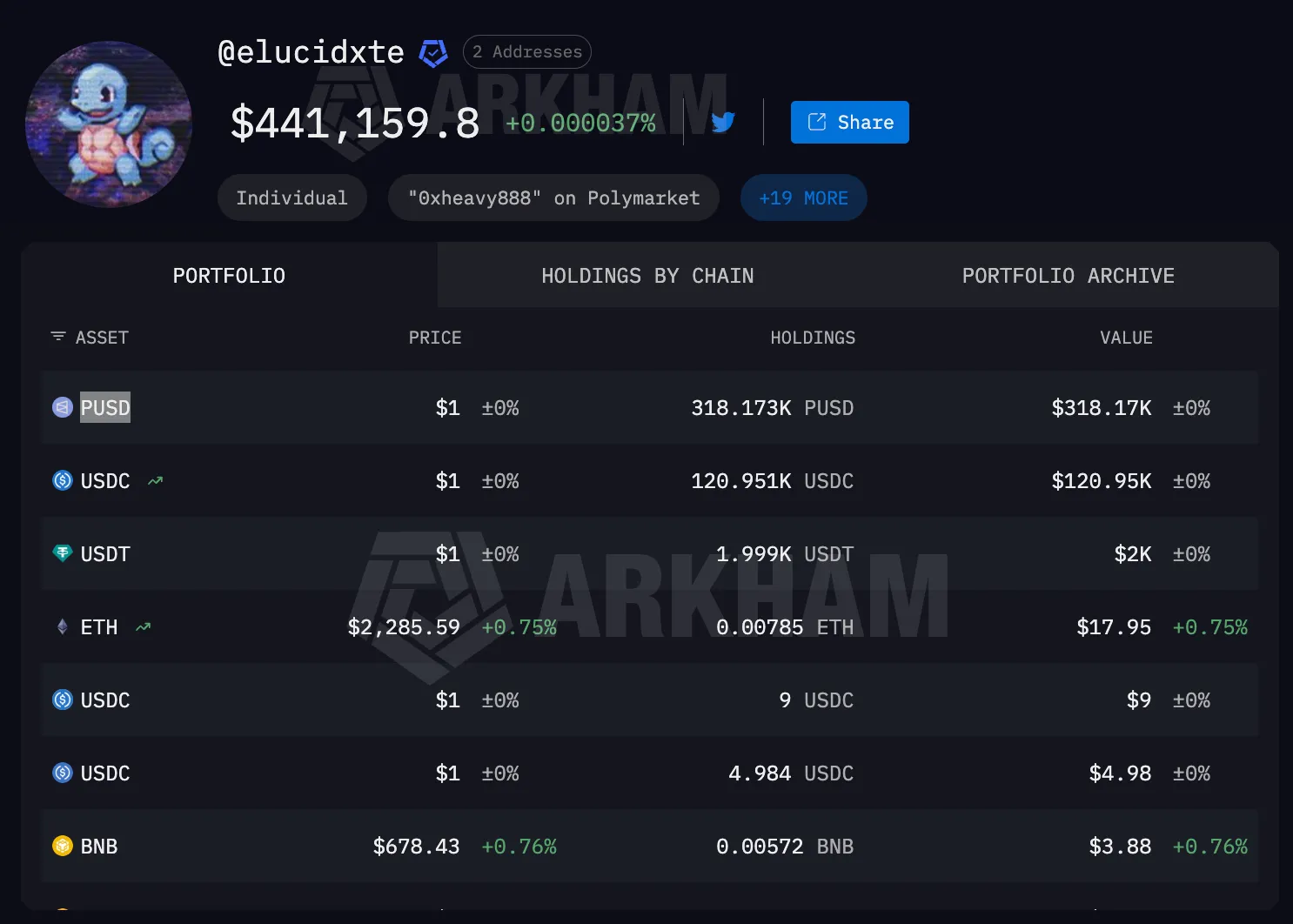
Polymarket runs on Polygon, so every trade is public, and Arkham's prediction markets dashboard reads that data better than anyone. It tracks large trades in real time, shows top-trader leaderboards, and does the one thing no Polymarket-native tool can, linking wallets to real-world identities.
What sets it apart is credibility. Arkham is an established analytics company in a niche full of three-week-old dashboards. Just remember that identity data cuts both ways, because if you trade size, this dashboard watches you too. The prediction markets dashboard is new enough that no user reviews exist yet, so judge it by Arkham's track record on general chain intelligence, which is substantial.
Using it is the easiest start in this article. Make a free Arkham account, open the prediction markets dashboard, and you're looking at the biggest recent trades and top-trader leaderboards immediately. Click any trader to see their full position history and linked identity where Arkham has one. When you find a wallet worth following, set an alert on it so you get notified the next time it moves, instead of refreshing a dashboard all day.
2. Beep's Predict Trader, for trading with or without the autopilot
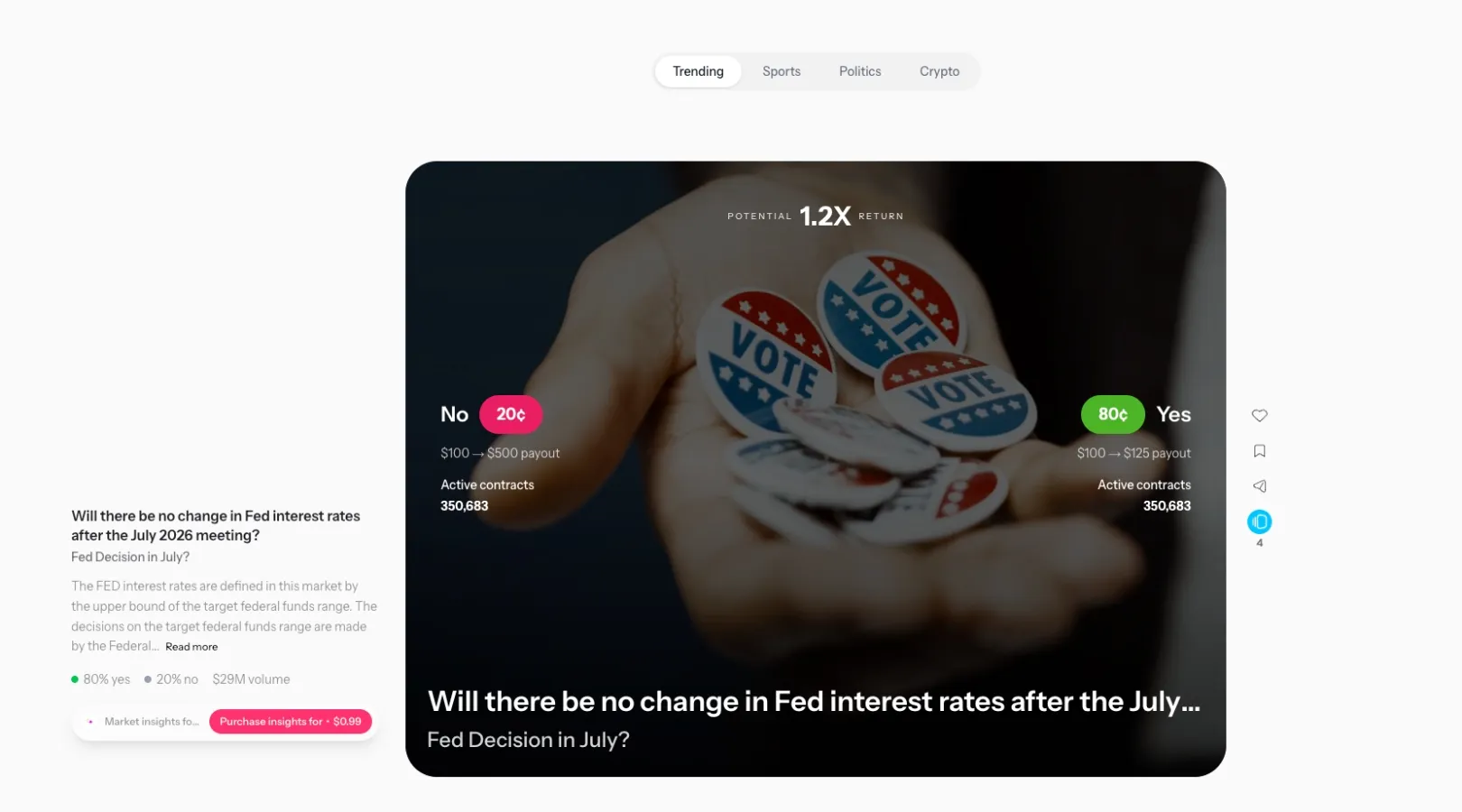
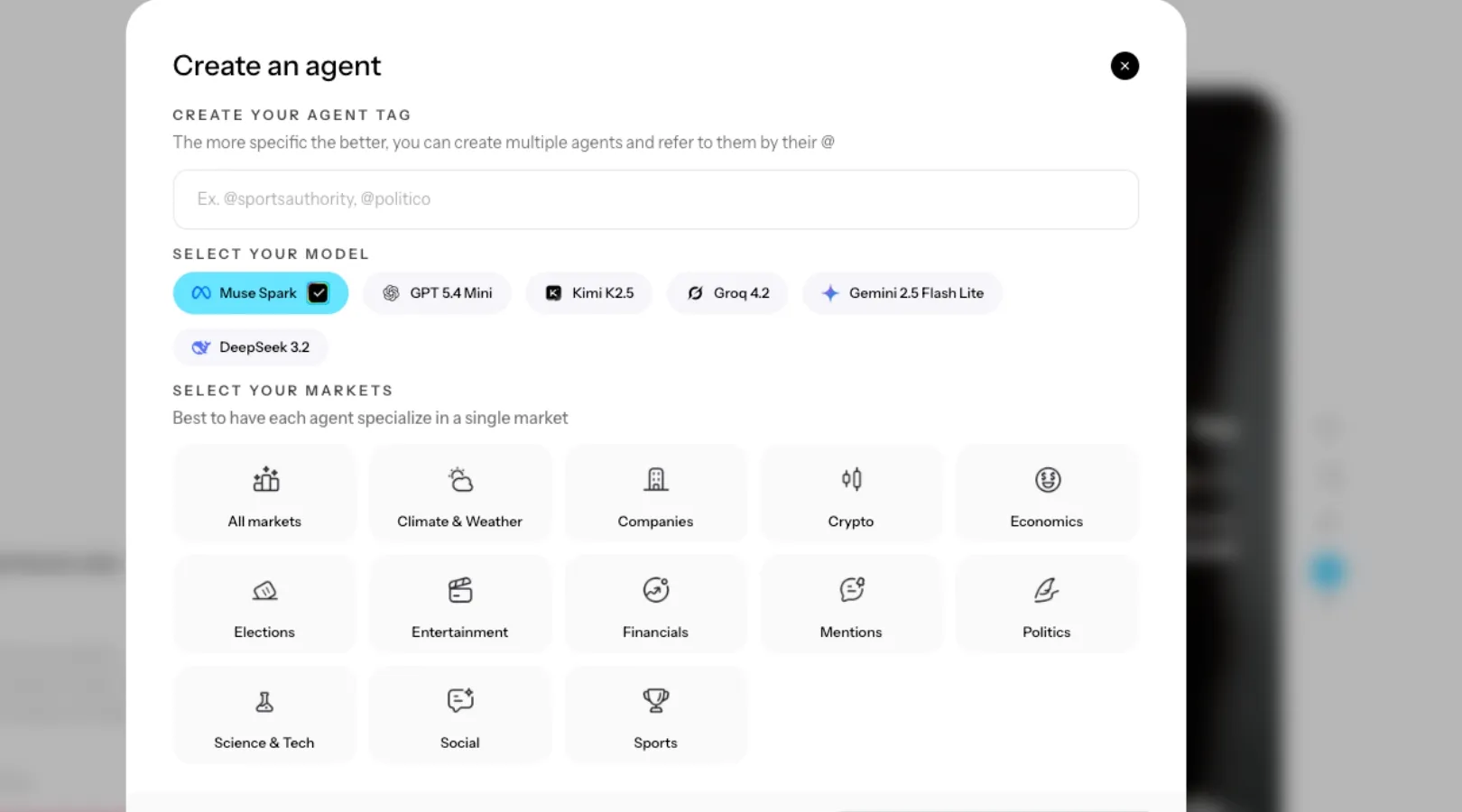
Beep is an agentic finance protocol built on Sui, and Predict Trader R3 is its prediction market product. It works in two modes. Manual mode is a feed of live markets you swipe through, right for YES, left for NO. AI mode deploys an always-on agent that trades prediction markets around the clock under constraints you set, with Polymarket fees applying at the execution layer.
What you need to do is creating an agent costs $1 to $5 depending on how often it trades, and a 10% performance fee applies to realized profits only. It is worth noticing that you can lose money since Beep provides infrastructure, not trade recommendations. That's the honesty test from this article passed by the vendor's own docs, which almost nothing else in this niche manages. The team is named and checkable too, led by CEO Arpan Nanavati with backgrounds in systematic trading at UBS and infrastructure at PayPal.
Getting started is the simplest flow:
- Sign in at the app with a Sui, or Solana wallet or your socials
- Deposit USDC into your account
- Start swiping the feed or configure an agent, picking its trading frequency and limits. The agent runs from its own wallet balance, so it only ever touches what you gave it.Now the other side.
The product is new, and we found no independent user P&L reports yet, so its agents belong in the same category as every other unproven autopilot in this piece. Beep also runs a rewards program, which means some of the enthusiasm you'll see around it is points farming rather than trading results. Start manual, start small, and treat the agent the way you'd treat any strategy without a public track record.
3. Polymarket's official CLI and py-clob-client, for infrastructure
Polymarket CLI uses off-chain APIs for market data and orders, and on-chain contracts for splitting, merging, and redeeming tokens. It can browse markets, place trades, and output JSON for scripts and AI agents. py-clob-client is the official Python layer behind many community tools. Both warn against using large amounts of capital.
Experienced developers can get started in about 10 minutes. Install the CLI, connect a fresh wallet with a small amount of USDC on Polygon, and begin trading from the terminal. JSON output makes every command machine-readable. Python users can install py-clob-client and access the same functions with a few lines of code.
However, there might be some weak points in using CLI. Cloudflare can block orders from datacenter servers, while negative-risk and multi-outcome markets can produce balance or allowance errors when selling. His bot attempted more than 8,500 exits from stuck positions. Every one failed. Most of his losses came from trades he could not close, not bad predictions.
4. OctagonAI's Kalshi Trading Bot CLI
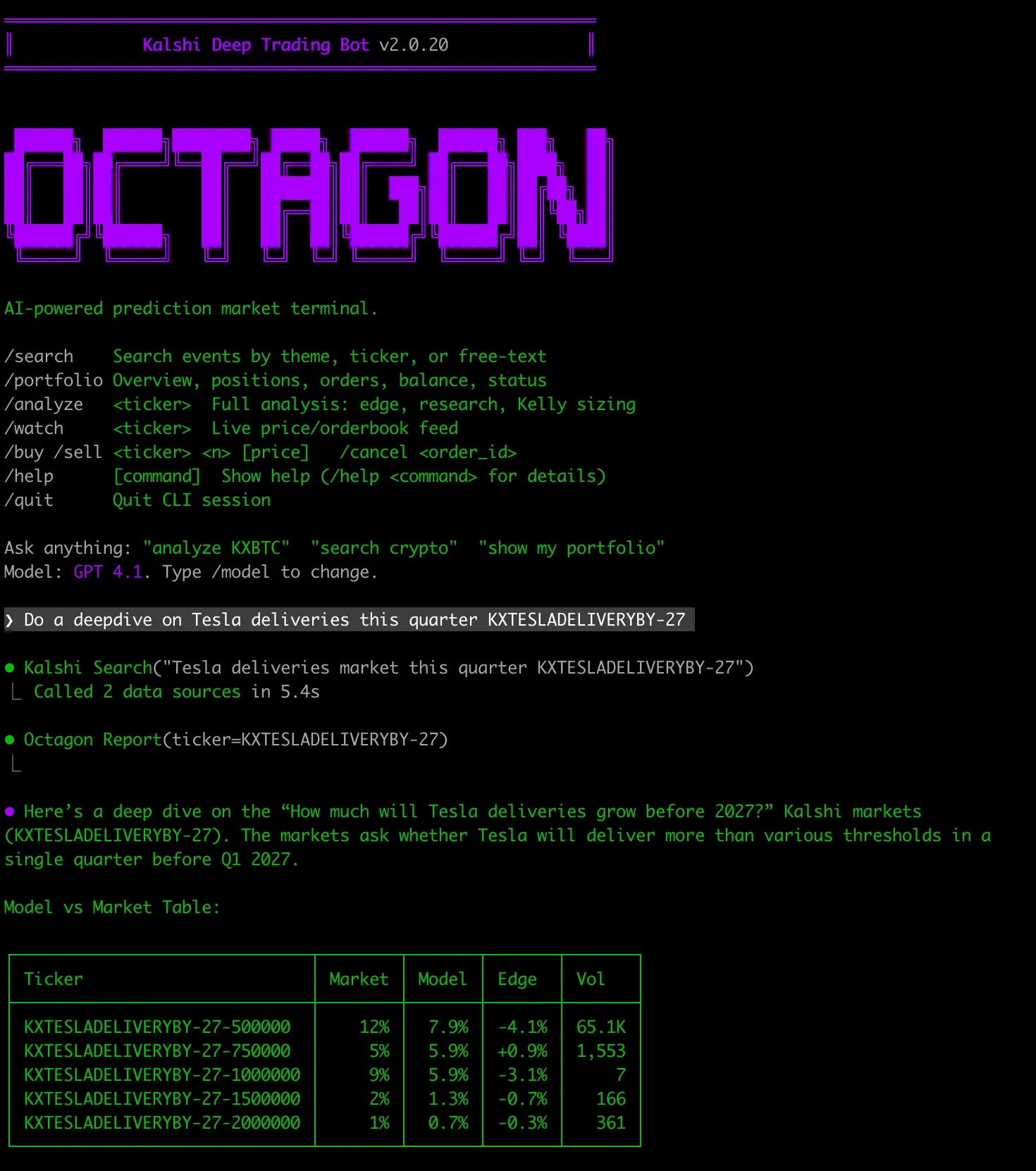
Octagon's Kalshi Trading Bot CLI is an open-source, AI-powered tool for researching and trading prediction markets on Kalshi. It estimates the probability of an event, compares it with the live contract price, calculates the potential edge, and recommends a position size using fractional Kelly.
To get started, you need Bun 1.1 or later, a Kalshi account with API access, and an LLM key from OpenAI, Anthropic, Google, xAI, OpenRouter, or Ollama. An Octagon Research API key can provide deeper market research and probability estimates.
Launch the setup wizard with:
bunx kalshi-trading-bot-cli@latest
Once connected, you can:
- Search Kalshi markets by topic or ticker
- Identify contracts with a potential pricing edge
- Analyze market drivers and upcoming catalysts
- Check liquidity, correlation, concentration, and drawdown risk
- Backtest strategies and build diversified baskets
- Place, monitor, and cancel orders from the terminal
For example, analyze <ticker> generates an independent probability estimate and compares it with the market price. If the model assigns a 72% probability while the contract trades at $0.58, the estimated edge is 14 percentage points.
The CLI also supports JSON output, making it suitable for scripts and AI trading agents. For automated or parallel workflows, install it globally with bun add -g kalshi-trading-bot-cli and use the kalshi command. Start with small positions and verify every AI-generated estimate before trading.
5. Homerun, for building and testing strategies properly
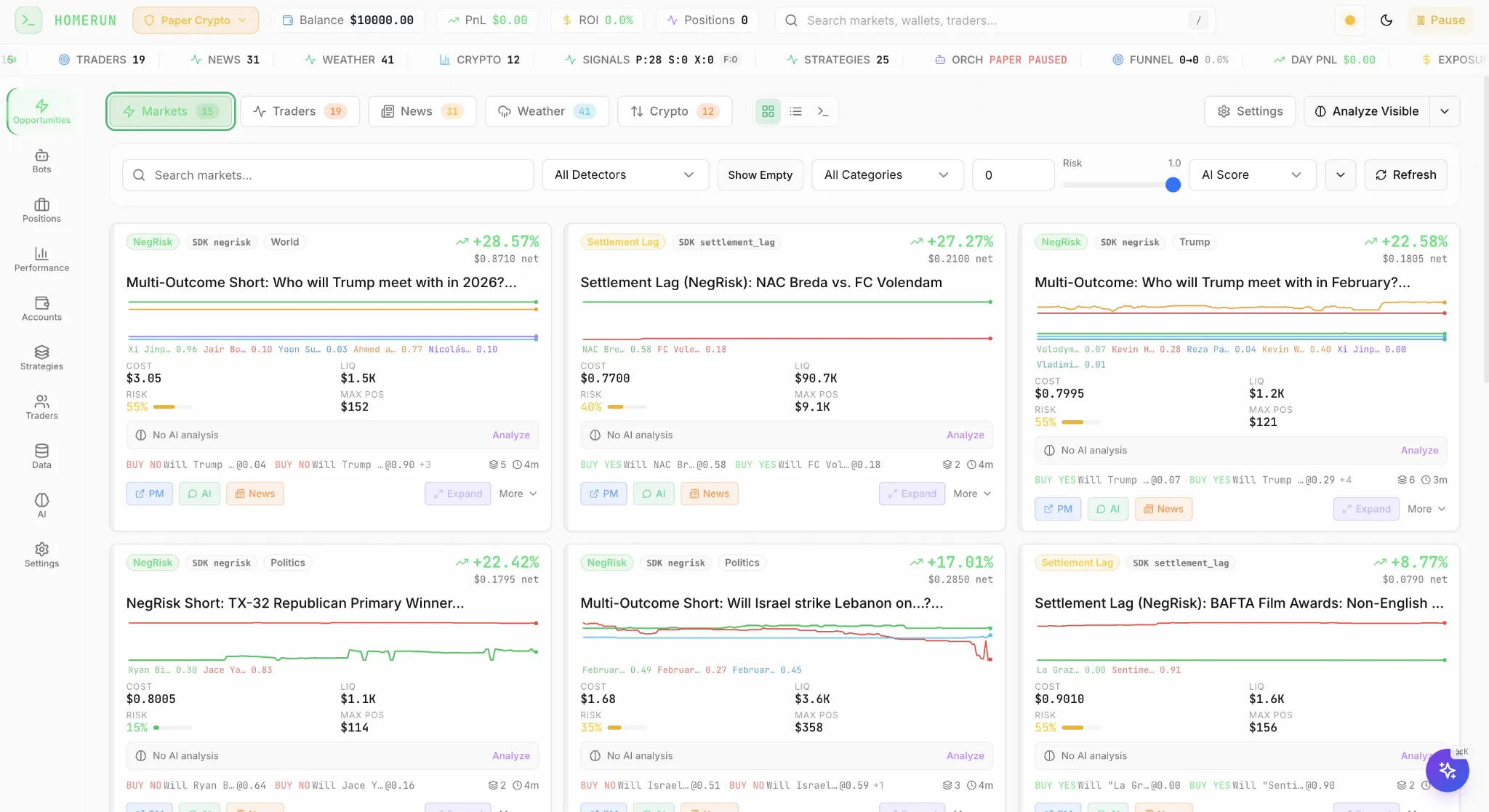
Homerun, by developer Braedon Saunders, is an open-source platform where you write strategies and data sources in plain Python, connect any signal from RSS feeds to Binance prices, backtest against real order book history, and then run in shadow mode, meaning the system simulates your fills against live markets without spending a dollar, before anything goes live.
That backtest-then-shadow-then-live pipeline is the exact discipline Haums's failure run skipped, and it directly addresses his other finding, that position state management breaks bots when they restart and lose track of what they hold. The main thing working against it is youth. The project is very active but has 148 stars and no published user results yet, and its full stack (Python, PostgreSQL, React) is a real self-hosting commitment, not an afternoon install.
The workflow, once installed, is the article's discipline lesson in software form. You write a strategy as a plain Python function, point it at a signal source like an RSS feed or an exchange price, and backtest it against historical order book data to see if it ever had an edge. If it survives that, you switch on shadow mode, where the system pretends to trade against live markets and shows you the fills you would have gotten. Only after both stages look good do you connect real money. Most people will never get past the backtest stage, and that's the tool working as intended.
6. dr-manhattan, for one strategy across five venues
dr-manhattan is a unified Python API covering Polymarket, Kalshi, Limitless, Opinion, and Predict.fun, the way CCXT works for regular crypto exchanges. The same strategy code runs anywhere.
This matters because edges migrate, and a unified API makes migration a config change. When Polymarket added fees to its 15-minute crypto markets to curb high-frequency bots, the affected strategies needed a new venue overnight. In practice you install the Python package, add API keys for whichever venues you use, and then the same few lines of code fetch markets or place an order on any of them, so a strategy written once against Kalshi runs on Polymarket by changing one name.
The catch is that unified layers always lag venue-specific quirks, exactly the negative-risk contract subtleties that wrecked Haums's bot, so verify how each exchange implementation handles them before trusting it. Worth watching next to it, CCXT itself, the 43,000-star standard library, now claims prediction market support. If that's real, every existing CCXT bot can add these venues with a config change.
7. Jon Becker's prediction market dataset, for backtesting
Becker is a well-known crypto security researcher, and his repo holds the largest public dataset of Polymarket and Kalshi history plus an analysis framework, with a separate community dataset packaging 1.1 billion Polymarket trade records alongside it.
In a niche where most "data" is a screenshot, the provenance here is unimpeachable, and testing a strategy against history costs nothing compared to testing it against your wallet. The only profitable operator who went on record supports the point. Pseudonymous market maker @defiance_cr told Polymarket's own newsletter his automated liquidity system earned $700 to $800 per day at its peak, built on exactly this kind of data work, and he open-sourced the code only after shutting it down. Just know that a dataset is homework, not a product. There's no interface, only files and code, and it helps the minority willing to do the analysis.
The simplest way in, if you know basic Python, is to download the dataset from the repo, load it into pandas, and ask one question of it before anything else. Would the strategy I'm considering have made money over the last year, after fees? You can answer that in an afternoon with historical prices and outcomes, and the answer is usually no, which is the cheapest no you'll ever get in this market.
8. Caio Vicentino's Polymarket MCP server, a Claude trading terminal
This is the tool that turns Claude into a Polymarket trading terminal. An MCP server is a small program that gives your AI assistant a set of tools it can call. You add it to your AI client's settings, put your keys in a config file, and the tools appear in the chat. Vicentino's server exposes 45 of them, so Claude can analyze markets in real time, track prices, pull orderbook depth, suggest possible trades, and even place them for you, with order size limits and exposure caps built in. Ask "find crypto markets closing this week with wide spreads and show me the orderbook" and it pulls live data instead of guessing. A simpler Kalshi MCP server covers the regulated side.
Setting it up takes about 15 minutes.
- Download the server from GitHub and follow the install command in its README.
- Open your AI client's settings; Claude Desktop has a config file for exactly this, and add the server with your keys as environment variables.
- Restart the client, and the Polymarket tools appear in your chat automatically.
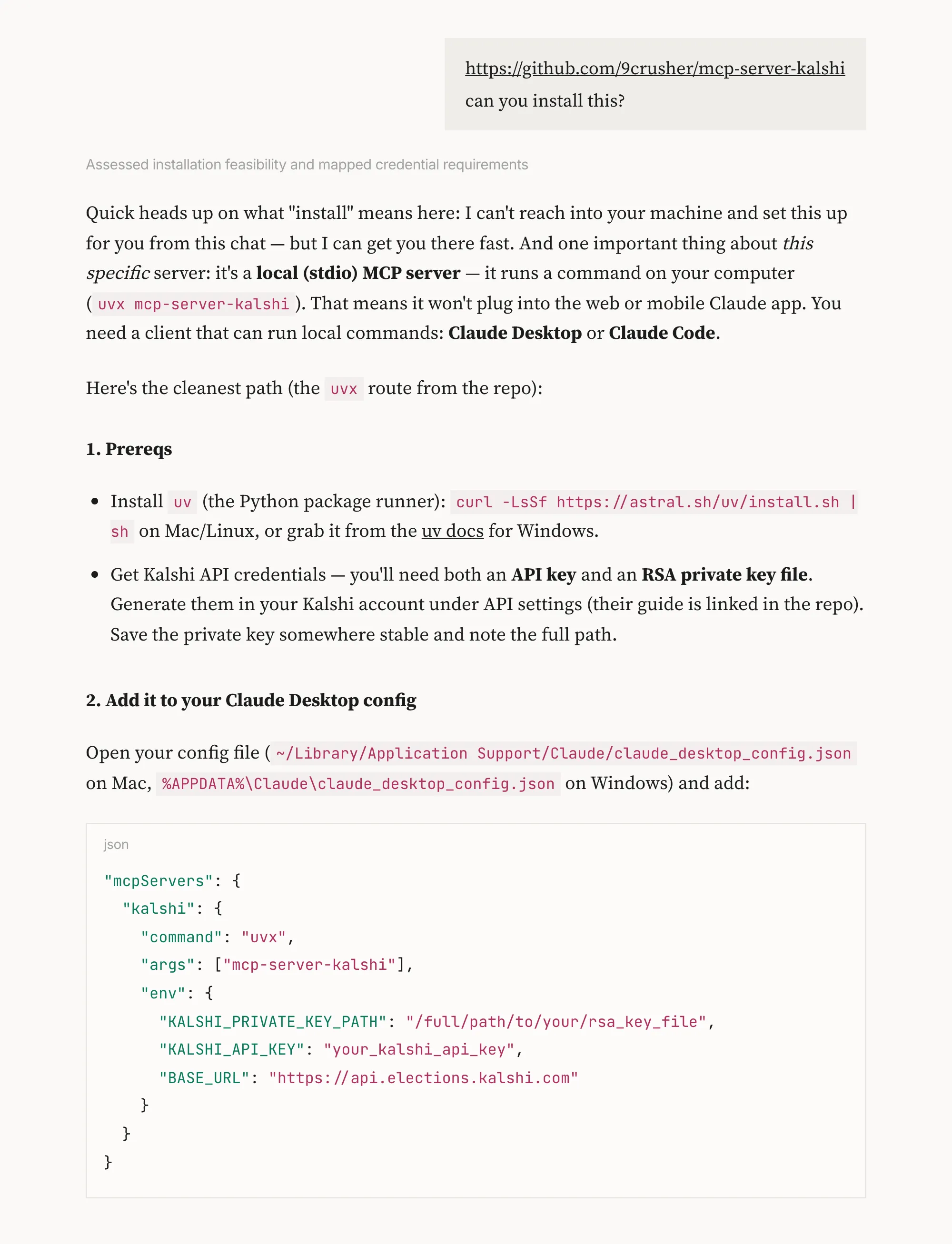
From there you just chat. Ask for trending markets, ask it to compare prices, ask what the orderbook looks like on a market you're watching, and it calls the right tool each time.
The caution matters as much as the convenience. Community-built servers read the same config file your wallet's private key sits in, and the safety limits are the developers' claims, not audited guarantees. Use it for research and analysis, where it genuinely shines, or fund it from a fresh wallet holding only what you'd spend on a night out. Same tool-calling pattern we covered in the Hyperliquid ecosystem, same rule.
9. Polystrat and the hosted agents
Polystrat, the autonomous Polymarket agent from Olas, is the no-code option, and it deserves a fair reading. You sign in, fund the agent, pick a strategy, and it trades around the clock from a Safe smart account you own. The design is genuinely constrained. The agent runs on a finite state machine, meaning it can only evaluate markets and trade, with no browsing, no file access, and no way to install code.
The numbers need attribution. The claim that over 37% of Polystrat agents run a positive P&L, the 59 to 64% win rates, and the 4,200 trades in the first month of launching.
Notes when using AI tools for prediction markets
These are the practical notes the user reports kept repeating. Following them costs nothing and avoids the most common ways people lose money with these tools.
Start with the wallet. Every tool in this space asks for a private key in a config file, and that's the whole attack surface. Make a fresh wallet for any bot or server, fund it with what you can afford to lose, and never touch your main key. GitHub is salted with fake bot repos built for people who skip this step, polished READMEs, purchased stars, keyword-spam descriptions. Stars tell you nothing. Commit history and readable code do.
Check what a market is before a bot trades it. The unsellable token trap from Haums's run, negative risk contracts and multi-outcome markets, is documented and brutal. If a tool doesn't filter for these, it will eventually buy something it can't sell.
Paper trade first, always. The Kalshi toolkit defaults to it and Homerun's shadow mode exists for exactly this reason. Edges decay, fees change, and a strategy famous enough to be written up is usually old enough to be dead.
Budget honestly. Haums ran his test on a $24 per month server and called the $4.50 VPS claims in viral posts laughable. Add ongoing AI model costs if your bot reasons with an LLM, and on a small bankroll those costs alone can outrun any realistic profit.
And apply one test to every tool before trusting it. Find where it talks about losing money. If the answer is specific and honest, keep reading. If the answer is a win rate with no methodology, close the tab. The agent-skills marketplaces fail this test at scale right now. A Cisco audit found 26% of skills on the largest agent marketplace contain vulnerabilities, one attack uploaded 341 malicious skills at once, and over 21,000 self-hosted agent instances were found leaking API keys on the open internet.
Conclusion
9 AI tools made the cut. Arkham for tracking, a free Dune stack for monitoring, Polymarket's official CLI and Python client for infrastructure, Kalshi CLI for bot trading on Kalshi, Homerun for testing strategies with a shadow mode, dr-manhattan for running one strategy across five venues, Jon Becker's dataset for backtesting, Caio Vicentino's MCP server for trading research through Claude, and Pydantic AI for building your own agent. Polystrat sits outside the list as the no-code agent worth watching, with its numbers held at arm's length until someone independent verifies them.
The published user accounts settle the bigger question. Autonomous profit is possible but concentrated among operators who don't share, while the loudest accounts are selling referrals, subscriptions, or your private key. The tools will keep changing. The notes above won't.
FAQ
Do AI bots actually make money on prediction markets? Some do, and the profits are concentrated. An academic study of 86 million Polymarket bets found a small cluster of bot-like accounts extracted roughly $40 million in arbitrage profits in a year. The best documented retail attempt, by Startup Fortune's Mervik Haums, turned $23 into $1.50 in 46 hours. Running someone else's bot does not transfer their edge to you.
Are trading bots allowed on Kalshi and Polymarket? Yes. Both platforms publish official APIs, and Kalshi adds WebSockets and a demo environment for testing. Automation must stay within each platform's terms, which prohibit manipulation, wash trading, and spoofing. An official API is permission to automate execution, not an exemption from market conduct rules.
How do I connect Polymarket to Claude or another AI assistant? Through an MCP server, a small program that gives the assistant tools for market search, orderbook analysis, and order placement. You add it to your AI client's settings with API keys in a config file. Use a fresh wallet with capped funds, because community-built servers handle your private key.
Why do Polymarket bots get stuck with tokens they can't sell? Some markets use negative risk contracts or have more than two outcomes, and tokens bought there can fail to sell back with a "not enough balance or allowance" error. Mervik Haums documented a bot attempting over 8,500 failed exits from such positions. Bots need filters that check the contract type before buying.
How do I spot a scam trading bot on GitHub? Check the account age and commit history rather than stars, which can be bought. Warning signs include keyword-spam descriptions, subscribe links, and fresh accounts with polished READMEs. Before running anything, read the code that touches your private key, and fund it from a throwaway wallet.
This article serves informational purposes only and does not constitute financial advice. Conduct your own research before making investment decisions.

.png)

%201%201.png)